Setting Up the TripleHead2Go
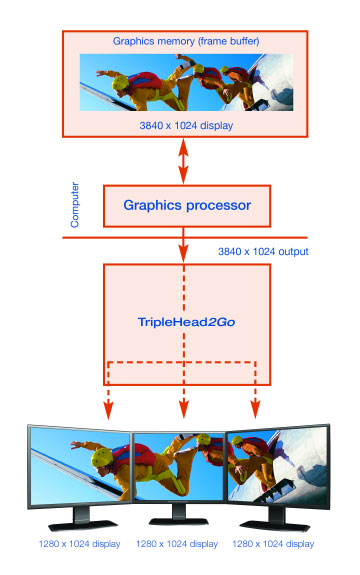
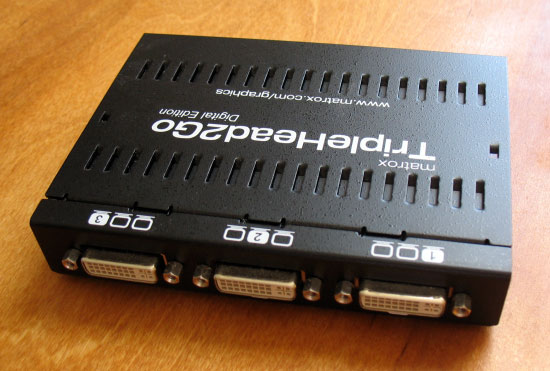
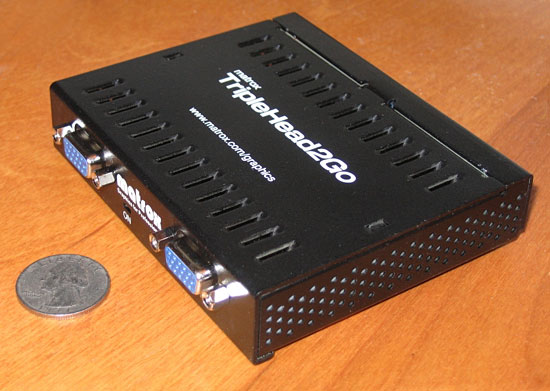
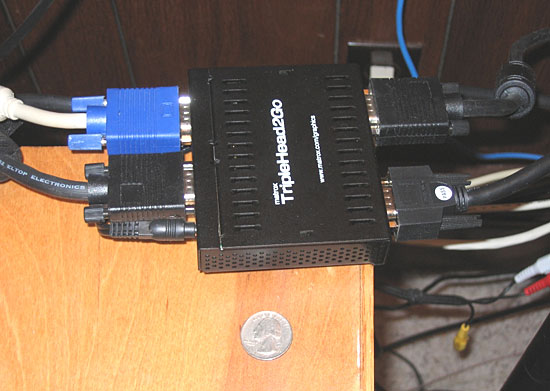
With an MSRP of $299, a TripleHead2Go will not be a cheap purchase. If you part with your money you will find that the TripleHead2Go packaging includes a software CD, AC adapter, 2′ VGA-to-VGA cable, 2′ DVI-to-VGA cable, and the unit itself (a palm-sized metal box). Installation is as simple as connecting the TripleHead2Go to your video card’s VGA or DVI out port, connecting your monitors to the TripleHead2Go, connecting the AC adapter to the TripleHead2Go, and setting an appropriate screen resolution in Windows. While the unit itself is rather small, the fact that it takes VGA connections on two sides means that it requires a fair bit of space when everything is plugged in. If your computer is on the floor, this is probably not a big concern, but if you keep your system on a desk or table then the cable mess you create could become problematic. Using a video cable longer than 2′ (not included with the TripleHead2Go) can allow this mess to be moved to the floor if desired. The 4 VGA connections on the TripleHead2Go are clearly labeled INPUT, CENTER, LEFT, and RIGHT.
Using the TripleHead2Go with a Single Monitor
With an NVIDIA graphics card, the TripleHead2Go supports the following single-screen resolutions at refresh rates between 60 Hz and 85 Hz. If these are selected as a Windows desktop resolution or are used by a full-screen application, they will display only on the center screen. These resolutions are most appropriate for use in simulations that do not support triple monitor resolutions.
|
|
There are a few problems with these resolutions. First, 1280×720 was available for selection in Windows, but all that happened when it was chosen was a blank screen. Windows did not auto reset to the last good resolution and I was forced to perform a hard reset of the system in the hopes that it would reboot with the last good resolution; it did. Second, TripleHead2Go documentation states that single-screen resolutions of up to 1600×1200 @ 85 Hz are available, but 1600×1024 was the highest single-screen resolution available. This means that with the TripleHead2Go connected, the highest useful single screen resolution is 1280×960 or 1280×1024 (depending on your monitor); gaming at 1600×1200 is not an option. Since this is contrary to the listed specs, I have reported the problem to Matrox and am awaiting a response.
The other problems are most likely minor in the situations that a TripleHead2Go would typically be used. Even if 1600×1200 is available, higher resolutions are not even if they are supported by the actual center monitor. For example, my center monitor supports up to an 1800×1440 resolution, but I cannot use this resolution with the TripleHead2Go in single-screen mode. Additionally, it takes much longer for new resolutions and refresh rates to display on monitors when the signal is passing through the TripleHead2Go. This is most noticeable when booting or rebooting my system; I am lucky to see any POST, BIOS, or RAID information at all, and the Windows XP loading screen is the first thing that is reliably visible. This means that any error or warning messages displayed when booting a system could go unnoticed to TripleHead2Go users. It also means that if you want to do some low-level hardware testing where seeing your POST screen is important (i.e. installing new hard drives or overclocking) it would probably be a good idea to bypass the TripleHead2Go and connect the center monitor directly to your video card.