Introduction
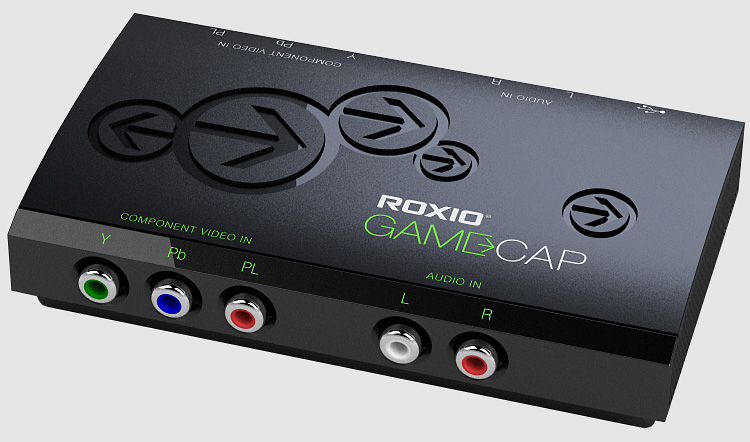
 Okay all you console gamers out there. Do you miss the PC days where you could capture and share screenshots and videos of your game play? Doing so on the PC has always been real easy with video and screen capture programs like FRAPS. Well, console gamers can start capturing and sharing their videos and screenshots now thanks to the new Roxio Game Capture or “GameCap”. Roxio has released the easy to use and not too expensive device for capturing your game play footage from either the Xbox 360 or the PS3. But is it worth the price?
Setup
Setup is extremely easy. It’s a simple daisy-chain of your 3 video components (Y, Pb, and Pr) and your 2 audio connections (the left and right channels) from the console device to the GameCap device and back to the HD TV.
I had HDMI cables going directly from the 2 consoles, (Xbox 360 and PS3) to my HD TV. When you hook up the component cables the Xbox 360 defaulted to a basic setup screen so you could change on the fly, but the PS3 was blank — no signal. So, with the PS3 you have to keep the HDMI cable plugged-in along with the component cables till you go into the settings and change them.
You can download the quick start setup guide in PDF format for the Xbox 360 and Playstation 3 from here.
PC system requirements and input / output formats supported are here.
GameCap requires console specific component AV cable(s) that are not included in the package.
Capture
Capturing is also easy. Once you have the device daisy-chained between your console and your HD TV, you connect the USB cable to your PC. Install the software and start the program. You got a big button to capture and one to edit. You can also set up keys to start and stop recording.
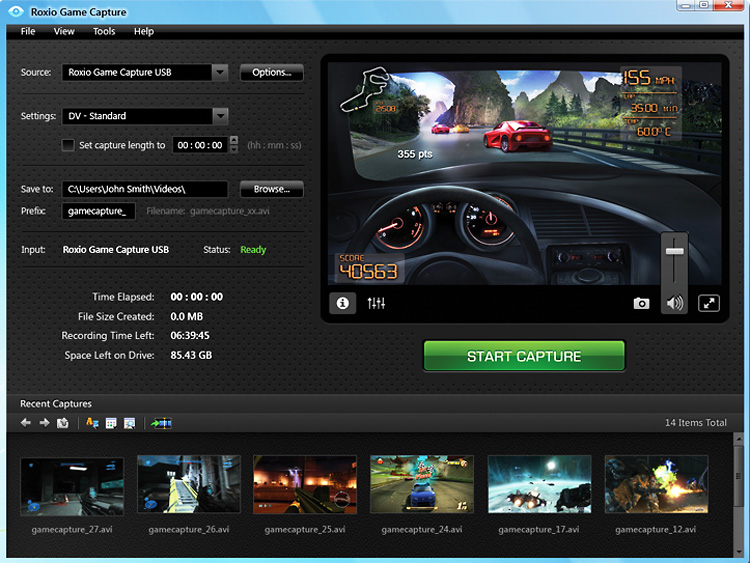
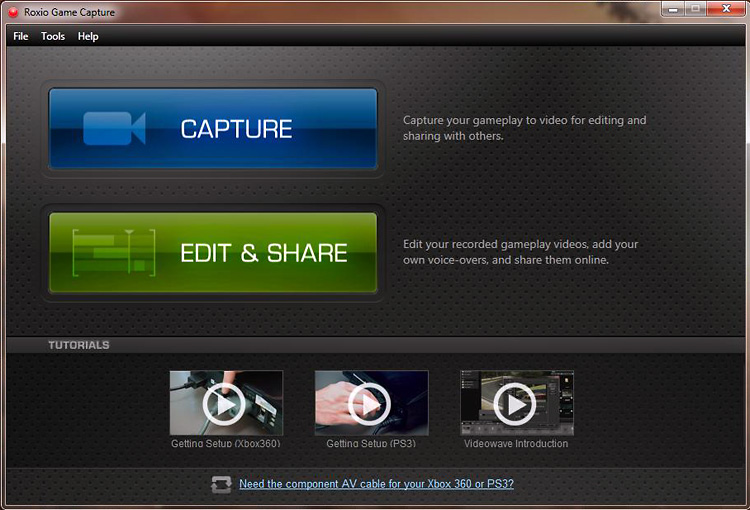
A downside — you can only capture at the standard definition 480i. You can play up to 1080i. It is doable, and gets the job done, but a higher resolution capture would be nice.
Editing
The Roxio GameCap comes with its own capture and editing software. Not as sophisticated as Sony’s Vegas or Adobe’s Premierevideo editing software, but no less basic than Microsoft’s Movie Maker. The capture device does everything for you, setting up the best capture settings. You can change those, but until you get some time with GameCap, use the default settings.
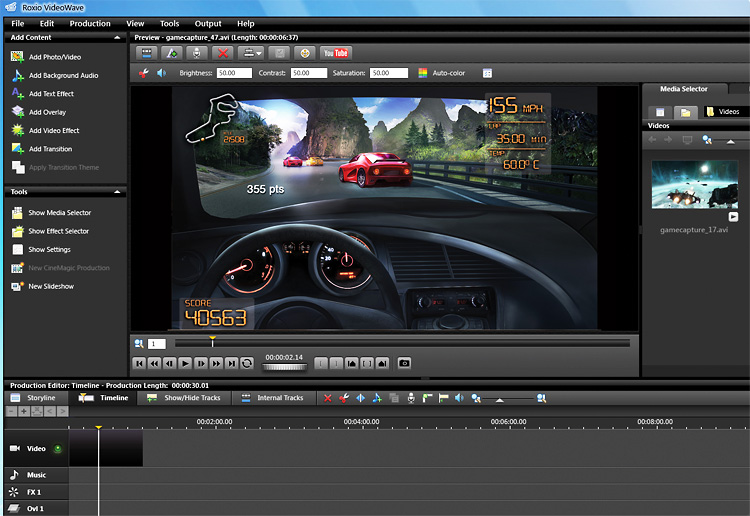
Output Examples
Here are a few examples of the output that I took from SOCOM 4.
Here is some interface / menu capture from the Xbox 360…
And interface / menu capture from the Playstation 3…
Conclusion
I’d like to see a “pro” version with 2 sets of inputs on the front, a switch to change over consoles so both the 360 and PS3 can be hooked-up at the same time. Right now, I have to switch cables between the Xbox 360 and the PS3, depending on what I want to play, and that is a bit of a hassle. My other wish is support of HD capture, in at least 720p. Obviously, 1080p would be better. I’d pay double Roxio if you did that.
You can order the device from their web site or from other online e-tailers. Roxio has a nice product page with detailed information on the device, several walk through videos on how to hook-it-up, get started, and use the editor. They also have a dedicated support forum for the product.
If you’re more of a professional video producer, you might want to look elsewhere for a more robust and high-end product (at an increased price no doubt).
The Roxio GameCap device/software works as advertised and whether you just want to share some screens or videos with friends, or an inspiring young console game reviewer, the GameCap device is very easy to use and worth the price.
Reviewer’s System Specs
- Xbox 360 console
- Playstation 3 console
- 50 inch HD TV
- 5.1 Surround Sound
We want your Feedback. Please let us know what you thought of this article here.
Related posts:
 A Decade of Rainbow Six Page 6
 Birds of Steel Page 3
 Capturing Screens and Video Clips from the Xbox 360 Console System
 Matrox TripleHead2Go Digital Edition Page 2
 Staff Roundtable: The Future of Simulations Part 1 – PC’s versus Consoles Page 3
 Staff Roundtable: The Future of Simulations Part 2 – PC’s versus Consoles
 TrackIR2 by NaturalPoint Page 2
 Windows 10 and the future of PC gaming