And so I have gone from a complete computer illiterate, scared to even open the case and change out a hard drive or add some RAM, or swap a video card, to someone who has built their own personal computer. With help, yes, certainly. Without some bumps along the way, certainly not. But now I have accomplished something, and having done so, the fear factor is gone. Because, in the end, it was really just fear of the unknown, something we all have experienced, to one extent or another.
If you have built PC’s before, perhaps many times, a lot of what I have said here may seem overly dramatic. From where I sit today, I can see that point of view. But from where I was not so many months ago, it was quite understandable. Have I exaggerated (a little) for literary sake? Perhaps. Perhaps.
It was not my intention to teach anyone how to build a computer with this article, but rather to describe a first experience. My first experience. Maybe you’ll find a few things that strike a familiar chord. Or maybe, if you have never done a project like this, you may see that although it may seem a bit daunting, you’ll most likely be very glad you did when it’s finished.
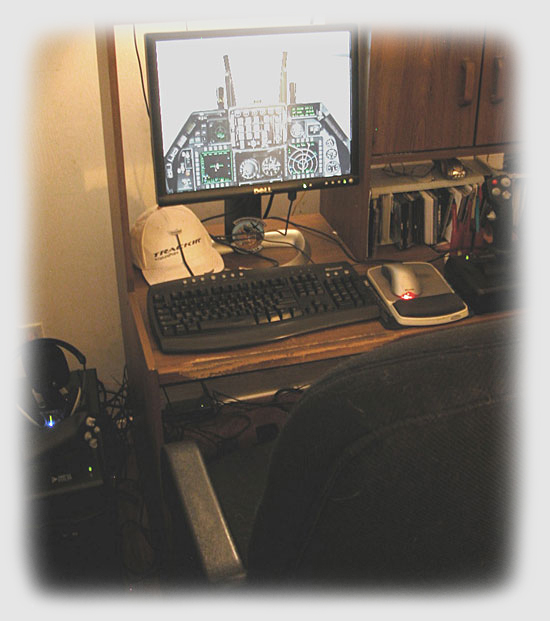
Should you build a computer to save money? Well, I don’t know, maybe. But for me, it was worthwhile, because I actually used my SimHQ Grand Prize, and because of the learning experience. I no longer wonder what “bios” is, or what “jumpers” are. Because I’m not afraid to open up the case and if I do, odds are I’ll know what I’m looking at.
In the end, this is all about how various components combine together to form that bundle of electronic energy we all know, sometimes love, sometimes hate, and, when it makes music in the form of our favorite simulation software, cannot do without.
Oh, and by the way, the “eye-candy” is awesome!
Component Listing
Awarded Prizes:
(1) Intel D875PBZ Motherboard
(1) Intel P4 3.2 GHz Processor, 800 MHz, 512 KB L2 cache
Zip, Zoom, Fly Ordered Components:
(1) Antec TX640B mini-tower case w/400W power supply
(1) Western Digitial Caviar Special Edition 80GB hard drive, 8MB buffer
(1) Sony DVD R/W drive
(1) ATI Radeon X800 XL 256 MB video card
(2) Corsair 3200 512 MB (each) memory (1GB RAM)
(1) Windows XP Home Edition
Locally Obtained:
(1) CyberPower 550 VA, 330 W, 60 minute system back-up power & lightning / surge protector
We want your Feedback. Please let us know what you thought of this article here.
Read other SimHQ staffers exploits regarding their computer building
experiences here, here and here.
Related Posts:

Related posts:
 Building the Perfect PC Cabinet Page 3
 Intel’s Core™ 2 Extreme QX9650: Holding the Field Page 7
 My First PC Page 3
My First PC Page 2
My First PC Page 4
My First PC Page 3
My First PC Page 2
My First PC Page 4
 Simming at Sea: A Tale of Heartbreak and Resurrection
 Page 3
Simming at Sea: A Tale of Heartbreak and Resurrection
Simming at Sea: A Tale of Heartbreak and Resurrection Page 3
 The New Intel Core™ i7 and Simulations Page 2